# AI Agent analysis and dashboard

### Why is it useful? <a href="#why-its-useful" id="why-its-useful"></a>

As your AI Agent gains momentum, you will need to manage and monitor conversations.&#x20;

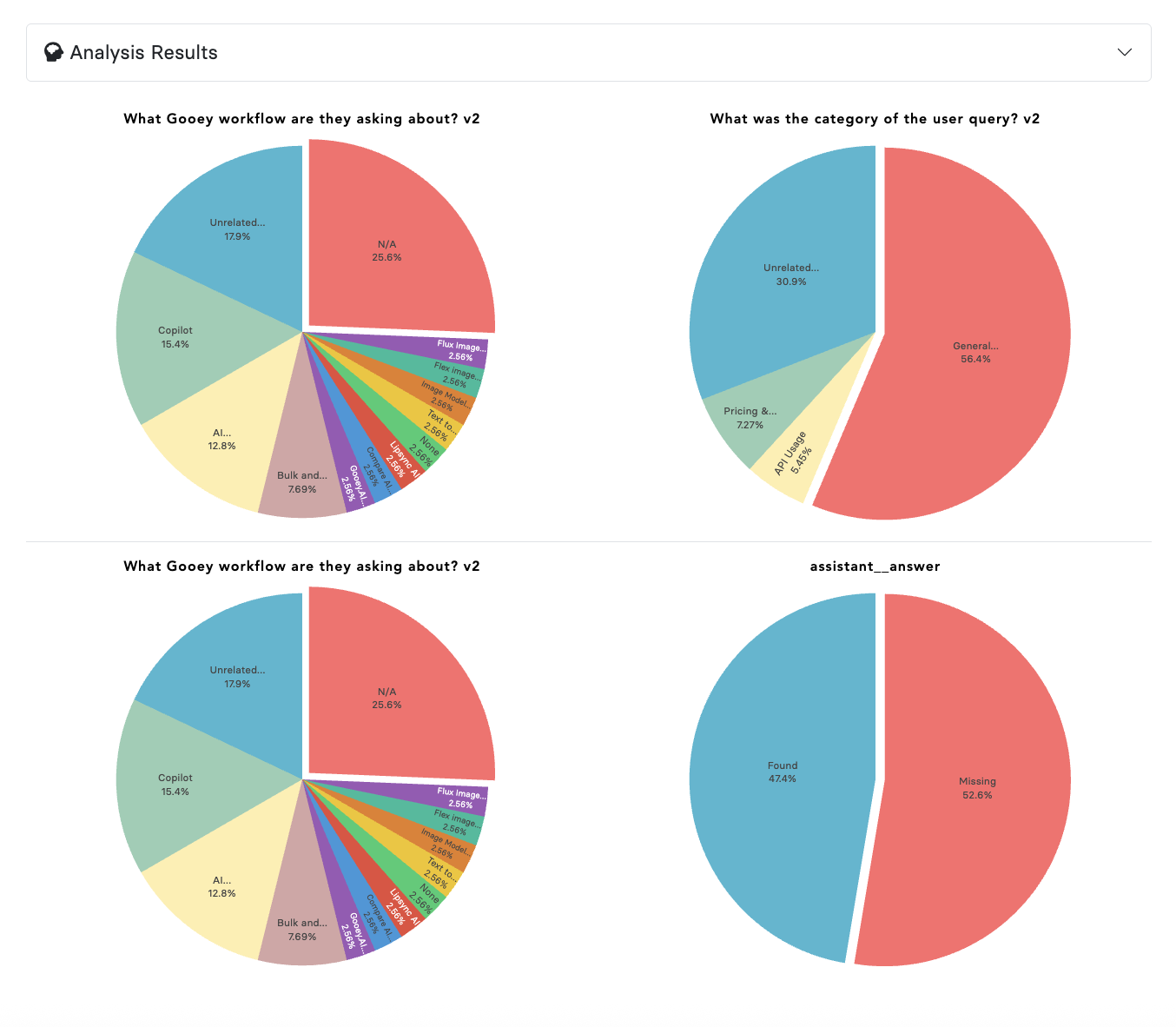
We can determine when the bot is answering and categorize answers based on subject, gender, user location, and other relevant criteria important to your organization.

### Dashboard Overview

1. Here you can see the Overall details of the platform, users, and connected number on the left
2. On the right you can see basic analytics of "Daily Messages Sent"

<figure><img src="https://2450152260-files.gitbook.io/~/files/v0/b/gitbook-x-prod.appspot.com/o/spaces%2FNWqgWAjD0VVJgjYDpsN5%2Fuploads%2FbIcjla6FB0nSXmjoj6C9%2FScreenshot%202025-05-27%20at%205.24.17%E2%80%AFPM.png?alt=media&#x26;token=51810e0f-821d-44cc-8b14-b7372b27ee51" alt=""><figcaption></figcaption></figure>

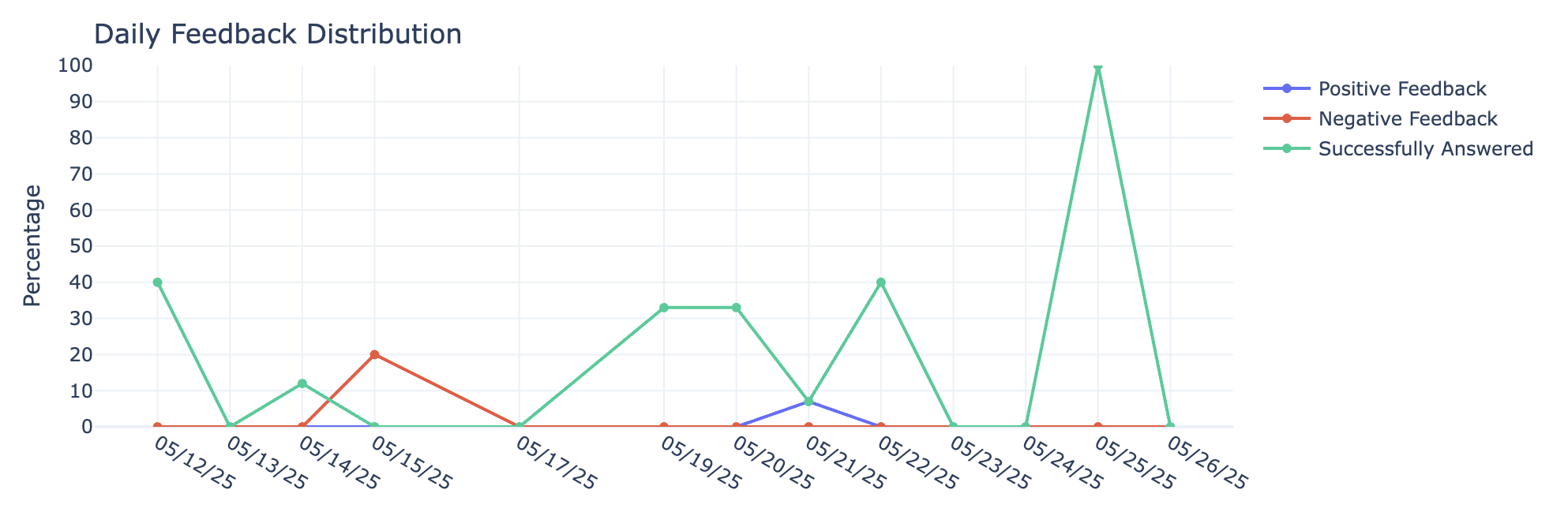
You can see the "Daily Usage Trends", "Daily Performance Metrics" and "Daily Feedback Distribution"

<figure><img src="https://docs.gooey.ai/~gitbook/image?url=https%3A%2F%2F662560811-files.gitbook.io%2F%7E%2Ffiles%2Fv0%2Fb%2Fgitbook-x-prod.appspot.com%2Fo%2Fspaces%252F5BFP5RUm6rTLXk8wUSTf%252Fuploads%252FcL63ACEHf8x0Hj0NiKCE%252FScreenshot%25202024-03-08%2520at%25203.17.16%2520PM.png%3Falt%3Dmedia%26token%3D0fe9ae48-e979-41b6-b752-e51124e74fad&#x26;width=768&#x26;dpr=4&#x26;quality=100&#x26;sign=39a9587a&#x26;sv=2" alt=""><figcaption></figcaption></figure>

<figure><img src="https://2450152260-files.gitbook.io/~/files/v0/b/gitbook-x-prod.appspot.com/o/spaces%2FNWqgWAjD0VVJgjYDpsN5%2Fuploads%2FsuTSlv35EmOWKexZv9KX%2FScreenshot%202025-05-27%20at%205.26.47%E2%80%AFPM.png?alt=media&#x26;token=4bfd888c-c686-4181-9c74-805c472deb00" alt=""><figcaption></figcaption></figure>

Finally, you can go through all messages and conversations in the tabs. They contain line-by-line details about the various user conversations.

<figure><img src="https://2450152260-files.gitbook.io/~/files/v0/b/gitbook-x-prod.appspot.com/o/spaces%2FNWqgWAjD0VVJgjYDpsN5%2Fuploads%2FiWA2j23MzD8izYdkcA8C%2FScreenshot%202025-11-07%20at%206.11.02%E2%80%AFPM.png?alt=media&#x26;token=50992d3b-afe0-4339-a548-affb98cc1e23" alt=""><figcaption></figcaption></figure>

<figure><img src="https://2450152260-files.gitbook.io/~/files/v0/b/gitbook-x-prod.appspot.com/o/spaces%2FNWqgWAjD0VVJgjYDpsN5%2Fuploads%2FrzW459q6oHzmLsaUSGAi%2FScreenshot%202025-11-07%20at%206.15.48%E2%80%AFPM.png?alt=media&#x26;token=9cbdf0cf-b636-4e60-baa1-ba43e812b2c9" alt=""><figcaption></figcaption></figure>

### Overview of Analysis

<figure><img src="https://2450152260-files.gitbook.io/~/files/v0/b/gitbook-x-prod.appspot.com/o/spaces%2FNWqgWAjD0VVJgjYDpsN5%2Fuploads%2FZiwjoMciPDNtFyCoQHlc%2FScreenshot%202025-05-27%20at%205.32.16%E2%80%AFPM.png?alt=media&#x26;token=1bfa8155-0b44-415d-b671-8be209879996" alt=""><figcaption></figcaption></figure>

### More reading:

<table data-card-size="large" data-view="cards"><thead><tr><th></th><th></th><th data-hidden data-card-target data-type="content-ref"></th><th data-hidden data-card-cover data-type="files"></th><th data-hidden></th></tr></thead><tbody><tr><td><strong>How to setup your Analysis</strong></td><td>Track analytics with power of GenAI</td><td><a href="https://www.gitbook.com/integrations#analytics">https://www.gitbook.com/integrations#analytics</a></td><td></td><td></td></tr><tr><td><strong>Key Terms</strong></td><td>Learn the key terms in the Dashboard</td><td><a href="module-11/key-terms-in-analytics">key-terms-in-analytics</a></td><td></td><td></td></tr></tbody></table>